Hospice documentation intelligence

Reads the documentation your team already writes. Adds no charting.

Your nurses’, aides’ and social workers’ notes, assembled into a morning worklist, an IDG panel, a record of the meeting and the agency’s certification risk. Every finding opens onto the note or record behind it; what Hesovia cannot see is counted on the screen. What it prepares is handed to you as text, to paste into your EMR.

Every screen on this page is the working prototype, captured as it runs, on invented patients. It simulates a nightly EMR export; how your notes reach it is the first thing we settle with each pilot agency.

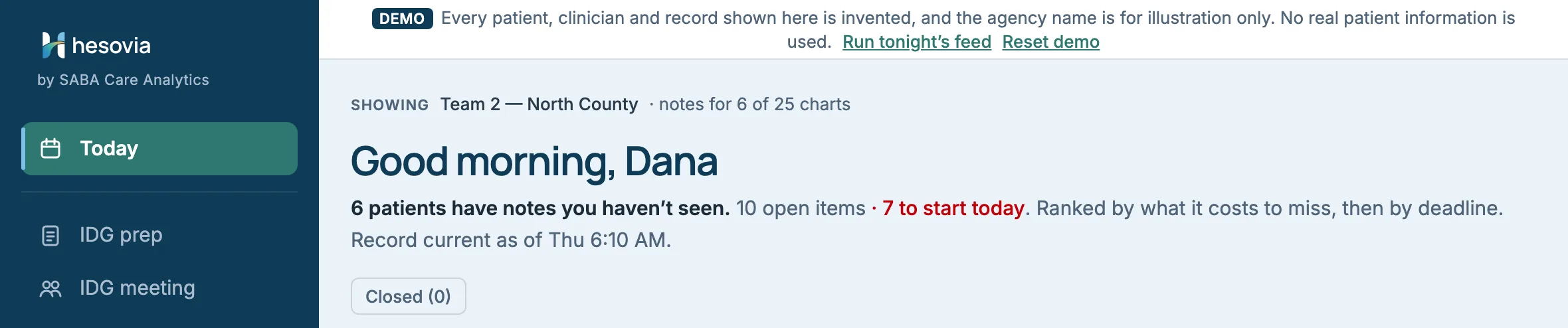
The Hesovia Today screen for Dana Osei, case manager on Team 2 — North County. The heading reads Good morning, Dana: 6 patients have notes you haven't seen, 19 open items, 8 to start today. Below, Changed since your last visit lists Navarro, Ellery and Kowalczyk, each marked Declining, with what each discipline recorded.Open full size ↗
Today, as Dana Osei, RN, case manager, opens it. Each change is Hesovia’s reading, labelled as such; the chart holds each note in full.
01Your team’s words, one click down

What you scan is Hesovia’s reading of each note, attributed to the discipline that wrote it. The note itself is one step away, verbatim: beneath the reading on IDG prep and in Open work, and in full on the chart.

02Inference marked as ours

A reading of a note is prefixed Hesovia reads and never set in a clinician’s type, so it cannot be quoted as hers.

03Says what it cannot see

Unknowns stay on the screen and in the count. A missing note is never shown as a pass.

04The physician decides

Eligibility questions are routed to the certifying physician. Hesovia does not answer them.

The problem

The chart is written by many hands. Nobody holds the whole thread.

Coverage shifts between visits and within each discipline, so one patient’s record is written by several nurses, aides and social workers. The case manager rebuilds the picture by hand, per patient, the night before IDG.

Clinical time should be spent interpreting the story, not hunting for it.

The operating principle behind Hesovia
01

The aide often sees it first

A two-person transfer, a slip the patient asked not to make a fuss about. The hospice aide is not a core IDG member, so her observation reaches the IDG only if somebody deliberately puts it there.

02

The clocks do not pause

Two 90-day benefit periods, then unlimited 60-day periods. A plan-of-care review at least every 15 days. HOPE assessment windows counted from admission, or from the transfer date for a transfer-in. None of them waits for a vacancy to be filled.

03

Gaps surface when it is already late

A recertification narrative that cites none of the findings, or an unsigned attestation, is usually found under deadline pressure, not when it could still be fixed calmly.

The product

Seven screens. Two roles. The demo you will be shown.

These are the screens of the working demo, in the order a walkthrough takes them. The names, people and figures here are the ones you will see on the call.

Dana OseiCase manager
RN, case manager · Team 2 — North County, 25 patients

Clinical surfaces for the patients on her team by default — IDG preparation, the meeting record and the census. She can widen to the whole census when covering, and that access is recorded. No revenue or agency-wide financial exposure.

Elaine BrooksAdministrator
RN, MSN — Director of Nursing · all 64 patients

The whole census, plus compliance and revenue exposure across the agency. The financial surfaces are limited to this role.

The navigation changes with the role. Dana’s sidebar has four entries; Elaine’s has five, and she lands on Compliance. Switch role keeps what the other role just did, and Reset demo clears it.

Sign inStep 1 · one minute

Who sees what, and where the data goes, before anything else.

Sign-in answers the two questions every clinical buyer asks first. Choose a role: a case manager scoped to her team, or an administrator who sees the agency. The panel beside it states what the demo is and is not.

It runs entirely in this browser. No server, no account, no database, and nothing is transmitted anywhere — including anything you type during the demonstration.Sign-in · What this is
The Hesovia sign-in screen. A DEMO banner says every patient, clinician and record shown is invented. Two role cards: Dana Osei, RN, case manager, and Elaine Brooks, RN, MSN, Director of Nursing. A panel headed What this is explains that it is a working prototype that transmits nothing.Open full size ↗
Sign in. Two roles; the navigation changes with each.
TodayWhat must I do this morning

Patients first, then the work, ranked by what it costs to miss.

Today opens on the patients whose charts changed: Changed since your last visit, declining first, each change attributed to the discipline that wrote it. Below it, Open work: paperwork, plan-of-care reviews, clinical follow-ups and questions for a physician, each an instruction to a named person, with a deadline where there is one.

  1. New
  2. With someone
  3. Picked up
  4. Done
  5. Confirmed
  6. orNothing to fix
  • Hesovia marks an item Confirmed only where it can see the fix in the next import. Everything else stops at Done, for a person to confirm in the EMR.
  • Nothing to fix here is a first-class outcome. A tool with nowhere to record a false positive trains people to ignore it.
  • Filters for Start today and Waiting on others; Closed (0) holds what is finished; the heading says how fresh the data is: Record current as of Thu 6:10 AM.
  • On the chart and on Compliance, a task shows its state and owner: Open · Dr. A. Whitfield, Medical Director, or Chasing · S. Adeyemi, NP once someone is pursuing it. The administrator’s Today also shows the period value beside each certification row, as in $11,181 at risk.
  • Dismissing one finding is a click, with a reason if you have one. Stopping Hesovia reporting that kind of finding again takes a stated reason, and a real deployment routes it to a second person to approve.
  • Why Hesovia raised this opens the source notes, verbatim and attributed: an instruction you can act on, and the evidence one click beneath it.
  • Every clinical task says How this closes: the EMR record Hesovia will see on the next import.
Today's Open work list with filter tabs Everything 19, Start today 8, Certification 4, Plan-of-care review 4, Clinical follow-up 6, HOPE 4 and Waiting on others 2. Each row is an instruction with a patient, a suggested owner, a due date, a category tag, a New status, an Assign button and a Nothing to fix here button.Open full size ↗
Open work on Dana’s Today: each row tagged and owned, dated where there is a deadline.
The administrator's Today with Everything 26. Eight identical items fold into one row, Review the plan of care at IDG, with a count of 8 and a button Assign all 8 to Dana Osei.Open full size ↗
The administrator’s Today. Eight identical plan-of-care reviews fold into one row with Assign all 8 to Dana Osei.
The IDG prep screen for Friday, October 2, 2026: 6 patients on the agenda and 14 notes across 5 disciplines since the last meeting. Margaret Ellery's panel shows PPS 50 to 30, weight down 17 lb, and three Hesovia reads lines from the nurse, the aide and the social worker.Open full size ↗
IDG prep, one click away: the same patients, assembled for the meeting.
IDG prepThe case manager’s win

Three disciplines, three observations, assembled before the meeting.

For each patient on the agenda, IDG prep puts what every discipline documented since the last meeting in one panel, ordered by clinical risk and then by what is time-critical to certify.

Each line you scan is Hesovia’s reading, labelled Hesovia reads and attributed to the discipline. View source notes opens what your clinicians wrote, in full.

  • Ellery, Margaret: the nurse recorded dyspnea at rest; the aide documented a two-person transfer where the plan of care still says one-person assist; the social worker recorded a declined ED transfer and a caregiver picture that has changed.
  • Navarro, Luis: an aide recorded a slip, and six days later a nurse recorded new numbness and weakness in his left hand. Two notes, two authors, and nothing in the chart connects them. Hesovia does not join them for you, and it does not call a slip a fall: which events are reportable is your agency’s definition.
  • Copy notes for IDG record hands the notes and open items over as text for your EMR. Open a chart from a panel and its breadcrumb brings you back to the same panel.
Hesovia readsDyspnea at rest is new since the last meeting. The previous nursing note (3 Sep) records it on exertion only.
Patient chartSummary · Hospice criteria

One screen for the meeting. The whole evidence when someone asks.

A chart opens in Summary: what changed since the last IDG, team decisions waiting on the physician, and open tasks, each with an owner. Hospice criteria is the long view: every note, every measure, every provenance line. The summary is a filter over that page, not a summary written on top of it.

Margaret Ellery's chart in Summary view: end-stage heart failure, benefit period 3 ending Nov 27 with 57 days remaining, a Hesovia reads summary of PPS and weight decline, a Clinical review disclosure, What changed with nurse, aide and social worker lines, and Open tasks marked Do first, Soon and When you can.Open full size ↗
Summary for Margaret Ellery, with Clinical review: terminal-diagnosis criteria, infection, falls, wound, hospitalization.
  • Measures, charted the same way: performance, weight, mid-arm circumference, breathlessness, help needed with daily activities and pain. Ellery’s breathlessness moves from on exertion to at rest, in her own nurses’ words: a finding the heart-disease criteria look for.
  • Empty on purpose: an unrecorded measure says what Hesovia would need to see rather than disappearing. A pain score renders with its instrument, or not at all.
  • The Hospice criteria view also carries Medications this period and Documentation, newest first: every imported note, verbatim.
  • Clinical review shows what the LCD lists that is documented, what points the other way and what is missing, and never adds it up to a verdict.
  • Stated against observed: Ellery’s diagnosis states NYHA Class IV, no visit note records a class, and Hesovia sets the stated class beside the breathlessness the notes do describe.
  • Open tasks with names and dates: Chase the signed face-to-face attestation for benefit period 3 goes to the NP who owes it, with a due date.
The Hospice criteria view of Margaret Ellery's chart: measure cards for breathlessness, on exertion Sep 3 and at rest Sep 26, help needed with daily activities, and pain with no scored assessment; then Clinical review cards for terminal-diagnosis criteria, infection, falls, wound and hospitalization, and a note that NYHA Class IV is stated on the diagnosis but recorded at no visit.Open full size ↗
Hospice criteria: measures and clinical review. No eligibility verdict — that is the certifying physician's.
Arthur Whitcombe's certification narratives for periods 3 and 4 side by side. Three of four sentences are highlighted as appearing in both word for word; only the period number differs. A Hesovia reads line says it does not read that as a deficiency and routes the question to the certifying physician.Open full size ↗
Certification narratives for Arthur Whitcombe, in full, side by side. Hesovia does not read that as a deficiency; the question goes to the physician.
IDG meetingThe deliverable

Prep that stops at the meeting door is a report. This records the meeting.

Every patient on the team is reviewed, not only the six with changes, because the group’s documented review of each plan of care is what keeps its 15-day interval.

  1. 1. Attendance
  2. 2. Review
  3. 3. Verify
  • Attendance starts empty and names the four disciplines the group must include: physician, registered nurse, social worker and pastoral or other counselor.
  • Review runs from the keyboard: C continue, R revise, P refer to the physician, / to find a patient. Whoever is recording keeps pace with the discussion, not the other way round. What the group decided goes in, in your words.
  • Verify checks that the four disciplines are recorded and how many plans were left unreviewed before the minutes are exported. A decision taken before attendance is recorded is stamped as recorded without the full group; the minutes stay on screen to copy by hand.
  • The minutes carry your group’s words and Hesovia’s structure, each labelled. Hesovia composes no clinical narrative and makes no prognosis determination.
The IDG meeting for Friday, October 2, 2026 in its Review phase: 2 of 25 reviewed. Patient 3 of 25 is shown with buttons Continue C, Revise R and Refer to physician P, a box for what the group decided in your words, and a Finish and verify button.Open full size ↗
IDG meeting, Review phase: Continue, Revise or Refer to physician, one key each.
CensusHighest confidence: arithmetic on two dates

The plan-of-care interval, checked from dates alone, for every patient on the census.

Every plan of care must be reviewed at least every 15 days. That is arithmetic on two dates, so Hesovia checks it for the whole census.

The plan-of-care review interval is checked for every one of them — it is arithmetic on two dates, so it needs no documentation Hesovia cannot see.Census
  • Dana opens on her own caseload: 25 patients. Every screen states its population on the line above its title.
  • Show the whole census widens her view to all 64 when she covers an on-call, and Back to my caseload returns her to her 25. Widening is permitted rather than blocked, because blocking a covering nurse would be a care problem, and an amber banner says the view is beyond her caseload.
  • A long-stay watch list sits beside the overdue count. Not a finding — a watch list. Tabs for overdue, long stay and everyone, and a search by name or MRN.
The Census widened to all teams: 64 patients, 8 with the plan of care overdue, 4 past 240 days on service, 6 of 64 charts with full documentation. An amber banner reads Showing the whole census, beyond your caseload, and a table lists overdue patients with their team and the date the plan of care was last reviewed.Open full size ↗
Census, widened from Team 2 to all teams. Showing the whole census, beyond your caseload.
ComplianceThe owner’s win · administrator only

Three kinds of money, and the largest is the one Hesovia cannot settle.

The administrator lands on this screen, Certification & billing risk. Money is sized in three categories: care already invoiced against a confirmed missing element, revenue that cannot be billed unless something is closed, and the charts Hesovia cannot confirm either way, the biggest figure on the screen. Every amount is a gross period value at a national rate, tied to no claim; it sizes the question and does not price a recoupment.

  • Certification coverage says how much of the record Hesovia can actually speak to, with the rest counted as unseen rather than left out.
  • Revenue at risk from open documentation defects lists each defect with its owner, its due date and the period it sits in. A recertification pipeline lists the six certification elements for every period; the coverage card counts the ones Hesovia cannot see.
  • Lower on the screen: What Hesovia cannot confirm, and what it carries, and Longest stays.
  • Awaiting a physician determination lists the questions Hesovia has routed to the physician and will not answer, with no due date on a clinical judgement.
  • HOPE assessments gives counts, never a rate it cannot compute. See HOPE below.
The Compliance screen, Certification and billing risk, for all 64 patients: three money cards, Billed support not confirmed, Unbilled period closing, and Cannot confirm either way, each with its basis in the same type size; then Awaiting a physician determination, 2, and Certification coverage; then a table of revenue at risk from open documentation defects.Open full size ↗
Compliance, as Elaine Brooks sees it. The three headline figures carry no alarm colour, and each one’s basis is set at the same weight as the figure.
Lower on the Compliance screen: Awaiting a physician determination with two routed questions, and What Hesovia is not checking, seven things outside what Hesovia can see, including signed certification documents, election statements, physician orders and whether a visit happened.Open full size ↗
What Hesovia is not checking, on the dashboard rather than in a footnote.
A clean screen above means these were checked and passed. It does not mean the chart is clean. These are outside what Hesovia can see, and they remain yours.Compliance · What Hesovia is not checking
HOPE

HOPE timeliness counts in 2026. Hesovia keeps the clocks in view.

2026 is the first year HOPE submission timeliness is enforced.

On Today

HOPE rows sit in the same worklist, under their own filter: an Admission or HOPE Update Visit (HUV) window about to close, an in-person symptom follow-up visit due within two days of its screening.

In CMS’s words

Rows quote CMS’s own item names and labels and never describe the patient in Hesovia’s words. A transfer-in counts from its transfer date.

Counts, not a rate

The administrator’s card counts records in their window. It gives no on-time rate: that needs CMS’s acceptance records, which the EMR does not hold.

Today filtered to HOPE 4. Rows: Make the in-person symptom follow-up visit, with J2051A Pain equal to 3 Severe on the HUV2 record, due today; Conduct HUV1 now and enter the HOPE record, window closed, CMS still accepts a late HUV1; Conduct the HOPE Admission assessment before its window closes; and a transfer-in whose day 0 is the transfer date.Open full size ↗
Today, filtered to HOPE. CMS still accepts a late HUV1. A late HUV does not by itself count against the 90 percent threshold; a record that does not reach CMS within 30 days does.
The HOPE assessments card on the Compliance screen: the FY2028 payment update is 4 percentage points lower if fewer than 90 percent of required records reach CMS within 30 days; counts of records in their submission window, open and missed symptom follow-up visits; and a box listing what Hesovia cannot confirm about HOPE.Open full size ↗
HOPE assessments on Compliance, with What Hesovia cannot confirm about HOPE.
What it will not do

A limits list, on purpose.

Hesovia never states a conclusion a clinician would have to defend. It shows what your team documented, says plainly what it cannot see, and routes clinical determinations to the physician who has to make them.

What Hesovia does not do

  • Compose a clinical sentence that reaches the medical record. Notes copied for the IDG record go out verbatim, followed by the open-item list and a footer stating Hesovia assembled it.
  • Decide eligibility. Prognosis is the certifying physician’s determination; Hesovia assembles the evidence both ways and routes the question.
  • Mark something fixed that it cannot observe. Those items stop at Done, for a person to confirm in the EMR.
  • Put a due date on a clinical judgement, or answer an eligibility question.
  • Price a recoupment. Money figures are gross period values at a national rate, tied to no claim.

What the demo is, and is not

  • A working prototype, built to show how Hesovia would fit a hospice’s week. Not a product you could run on Monday.
  • Invented data only. No real patient information is present anywhere.
  • No connection to an EMR yet. The demo simulates a nightly export (it names HCHB); how your notes reach Hesovia is the first thing we work out with each pilot agency.
  • No write-back. The IDG minutes and the copied notes are handed over as text; the plan of care is still revised in your EMR.
  • No admission or intake workflow yet. The demo starts from patients already on service.

If write-back, or a check the demo does not make, is what would decide it for your agency, that is the conversation we want to have.

Trust architecture

Security in the foundation, not a later milestone.

The demo shows the access model: a case manager scoped to her team, widening for coverage permitted and recorded, and money visible only to the administrator. The platform behind it is being built around isolation, traceability, least-privilege access and verifiable infrastructure controls from the beginning.

Security architecture supports a compliance program; it is not, by itself, a certification or guarantee of compliance.

01

Scoped by team

Each role sees its own population by default, and every screen states which population it is showing.

02

Isolated data paths

Designed so clinical data stays within private network boundaries, with intentionally constrained routes.

03

Named, temporary access

Designed around short-lived identities instead of shared credentials, so every action keeps a human name.

04

Independent audit history

Security records are designed to survive the workload systems they describe.

Hesovia Build Journal · Field notes

Building the system, one defensible decision at a time.

ENGINEERINGCLINICAL CONTEXTFOUNDER JOURNEY
Open build journal

See the reasoning behind the product.

We document the architecture, tradeoffs, failed assumptions, and verification that shape Hesovia. It is a record of how the platform is being built—not a polished story written after the fact.

  • 001Why the boundary came before the first feature
  • 002Why flat files precede EMR integration
  • 003The preparation hidden behind an IDG meeting
Read the build journal
Book a walkthrough

Fifteen minutes, on a hospice week like yours.

We walk hospice leaders and clinical teams through the demo on this page. Then we ask what would decide it for you: whether handing the IDG record over as text is acceptable at first, or write-back is required; what your EMR already reports; and what would make a pilot on your own extract worth running.

Book a walkthrough